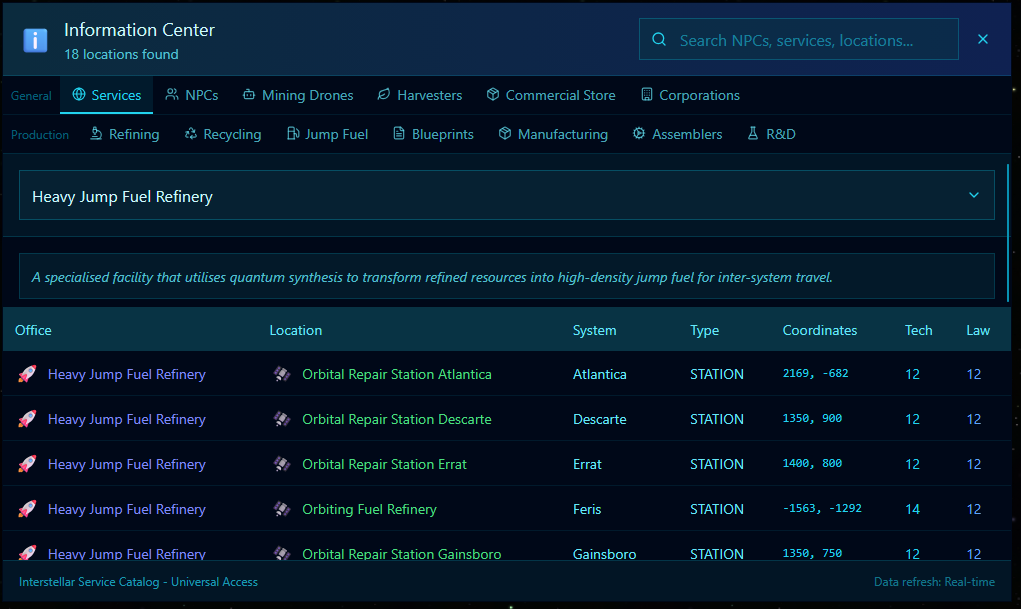
This is a type of fuel created and stored at Orbiting Fuel Refineries. The fuel can then be transferred toi your ships Fuel Tank and is used when traversing the Galaxies Jump Gate network.
Heavy Jump Fuel is created at a Orbiting Fuel Refinery. These are dotted around the Galaxy but each one connects to your personal Global Fuel Account and you can access any fuel you have stored/ crafted form any of these locations.
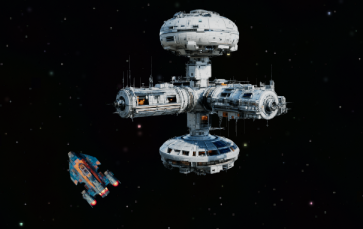
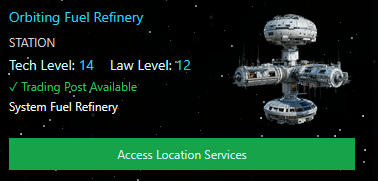
Look for the Orbiting Refinery in the Navigation Console, they should look like the images above.
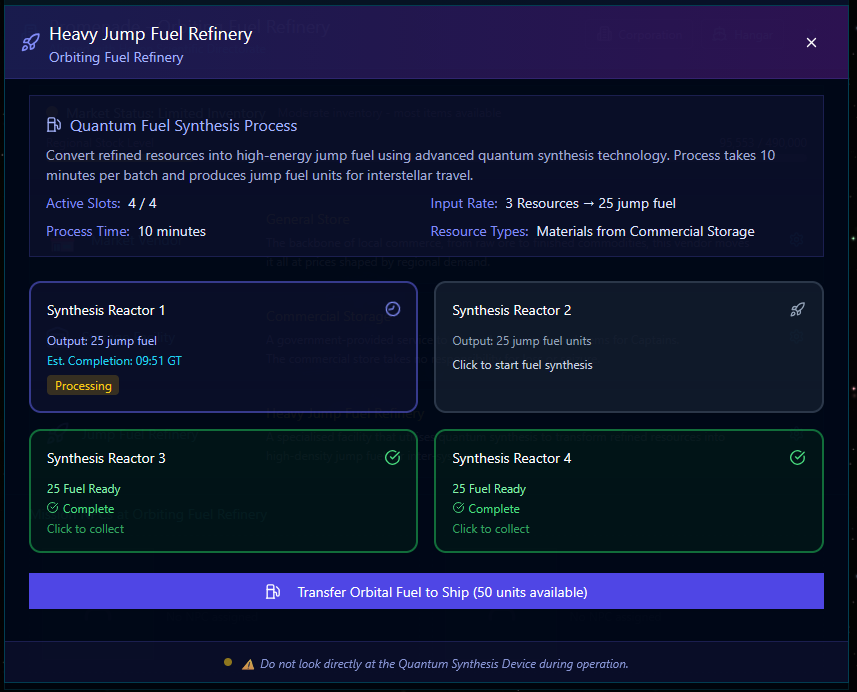
As you can see from the image above I have already Synthesised fuel in slots 3 and 4. These are waiting for me to process the completed fuel and transfer it to the Global Storage. You can also see I recently started a fuel Synthesis, and it’s refining it as I type. With 9:51 seconds remaining. The 2nd process slot is free and if I choose I could start a new Synthesis process to create more jump fuel.
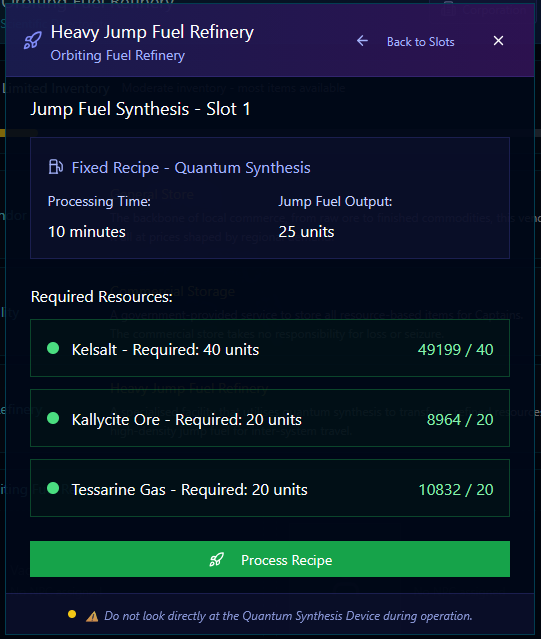
Heavy Jump Fuel requires three resource components, Kelsalt, Kallycite Ore and Tessarine Gas.
Kelsalt is Mined Resource (Common)
Kallycite Ore is a Refined Resource, you will need to Mine Nylonite (Common) from asteroids
Tessarine Gas is a Refined Resource, you will need to Mine either Ravenrock or Malifinium Both are Uncommon but should be located in Law Level 12 and below.
If you look at the bottom there is a Blue Bar showing how much you have IN your Global Fuel Account stored between all the Refineries in the Galaxy.
Let’s investigate how we transfer the fuel from the global account in to our ships Jump Fuel Tank (Bottom Right gauge on your screen)
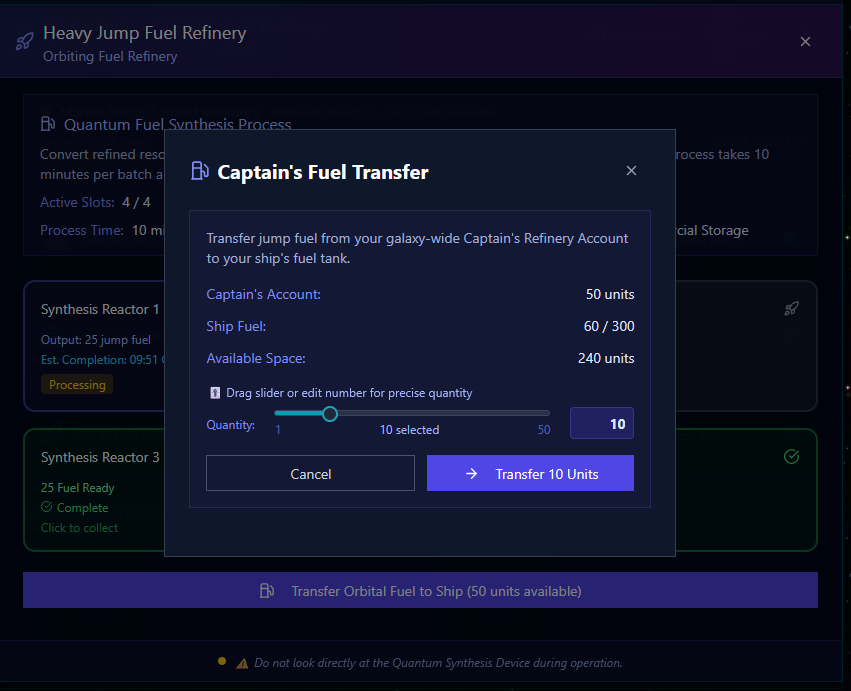
You can see from this screen I clicked on the Blue Transfer Box and i can now access my Global Fuel account. It shows how much fuel is in the depot and how much space I have in my fuel tank. Simply slide the bar across or type in the amount you want to transfer.
You cannot transfer more than you have in the depot, or more than you have space to receive in your fuel tank.
Things to Remember:
Jump Fuel is used JUST for the Jump Gates. It’s best you don’t leave Feris until you’ve made some Jump Fuel and topped off your Fuel Tank.
The Synthesis process stores the output (when collected) in the Global Fuel Account.
You can review the status of any Fuel Synthesis you have acted or complete from the Information Panel under the ‘Jump Fuel’ Tab.
Fuel Tanks can be increased by using the Forged Space Points you may have accrued by doing Jonas Greet missions or by purchasing them via the in game FSP store. (Top right Account Settings)
Jump Engines will slowly over time generate Jump Fuel up to 20% of your Fuel Tank.
If you get Stuck with no fuel ?
On the bottom Tool bar there is a Recall Beacon. This is set to Feris and if fully charged it will glow green. Clicking this will check the Beacon status and offer you the choice to jump to Starbase-51 or cancel. This takes 24 hours to recharge.
Prior Preparation
Whilst flying around the game, mining, refining, fighting, exploring and generally causing mischief, always make sure to consider Jump Fuel. Build up a reserve and keep your tank topped off. You can Synthesis Jump Fuel from any Orbiting Refinery. If you want to know where they are use the Information Panel (3rd icon on the left) The access the Services tab and search for the ‘Heavy Jump Fuel Refinery’