
NPC Missions will require that you have the prerequisite cargo onboard your ship to complete them. I won’t go into NPC Missions in full in this guide, but I will point out a few elements you may miss.
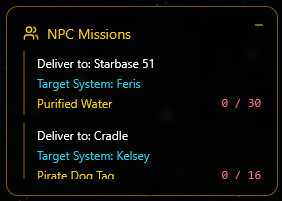
Once you have accepted an NPC mission, their requirements will appear in the Yellow Panel to the right of the screen. This is scrollable if you have more than fit on the screen. It will display where you need to deliver the items and the system and resource.
It also displays the amount required and keeps track as you pick them up, and it will go green when you have sufficient on board.
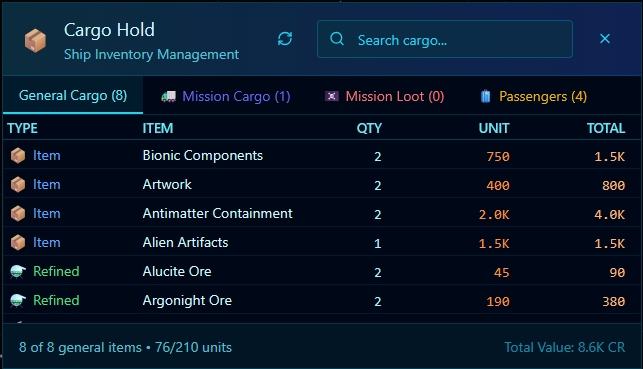
You can, of course, keep an eye on the resources you have by reviewing your Cargo Hold and looking at the first tab, which is General Cargo. If you have been asked to collect Special Mission loot that can only be gathered whilst on that mission (Like Dog Tags), then these will be in the Mission Loot Tab.
Finally, when you get to the destination and have the items onboard, you need to complete the mission. This is done from the ‘Missions’ Button that is located bottom right of your Screen next to the mini map.
Generally speaking, it will start to flash blue when you are in range of a hand-in and have the resources onboard. This is called the Active Missions Panel. This contains the full mission brief, requirements and rewards.
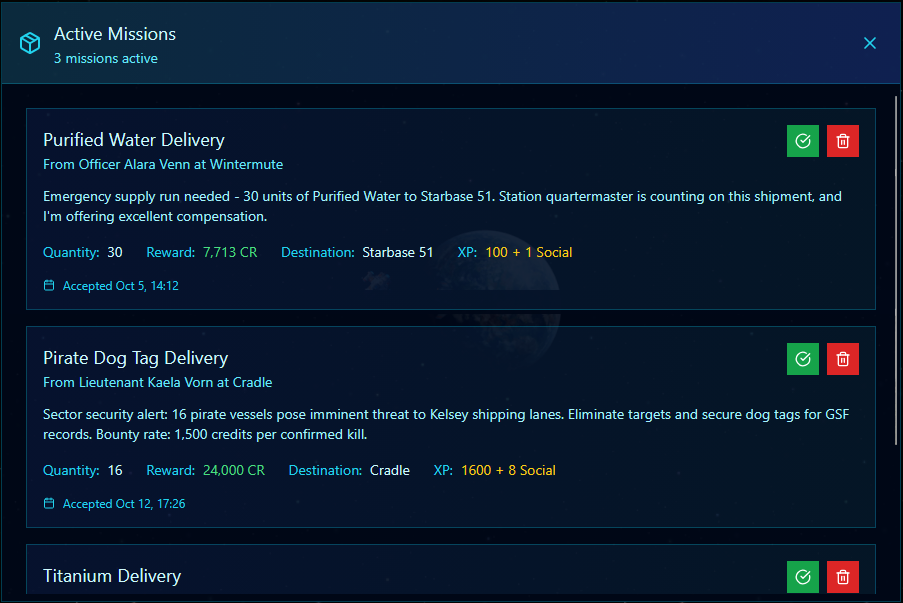
There is a Green Tick icon/button, click this and the system will validate the mission and what’s in your ships’ cargo hold. If all goes well,l you will get a confirmation message displaying the rewards.