
Each ship comes with a base passenger cabin allowance of five cabins that you can use to transport passengers. When looking for passenger facilities, use the Navigation Console Panel and look for the small blue suitcase icons.
These are Passenger Transport Services, and from there, you can review who needs a passenger space on-board your ship.

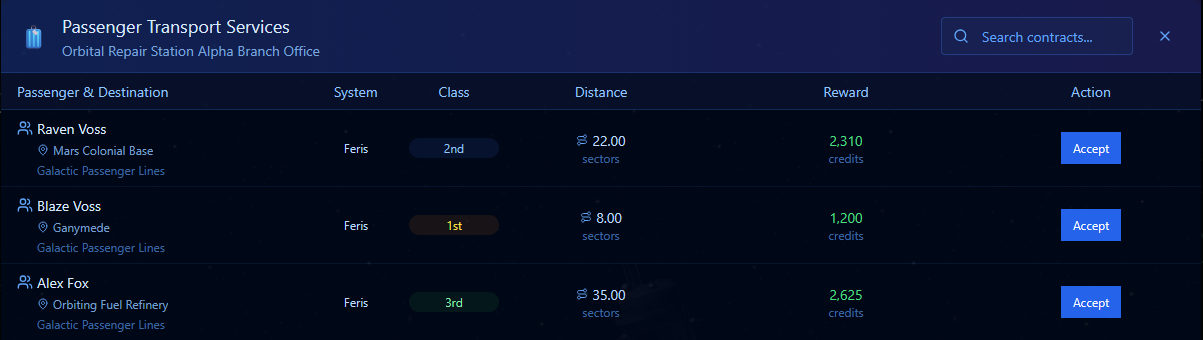
Once inside the office, you will see a list of passengers in need of transport to their destination. There is no time limit so you can pick them up and drop them off at your leisure. Note the Location, System and Class. First, second, and third will, of course, pay different rates.
Distance plays a Major part in the credits offered for the passage. In system will garner fewer funds than a jump across systems, as this will require Jump Fuel. Keep that in mind if the price looks too good to be true 🙂
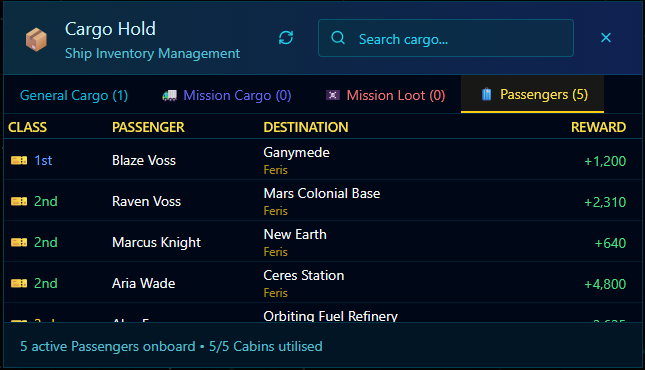
Once you have passengers on board, you have two ways to review who’s going where. From your Cargo Hold use the Passenger Tab. From there, you can review the Passengers and their destinations and payouts.
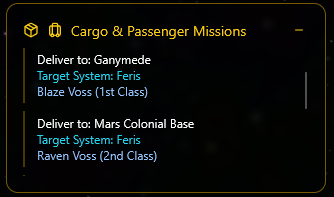
Alternatively, you will find that a Panel has appeared top left under the Info Panel. It tracks both Cargo & Passengers onboard that have a destination. It displays these as per the image below.
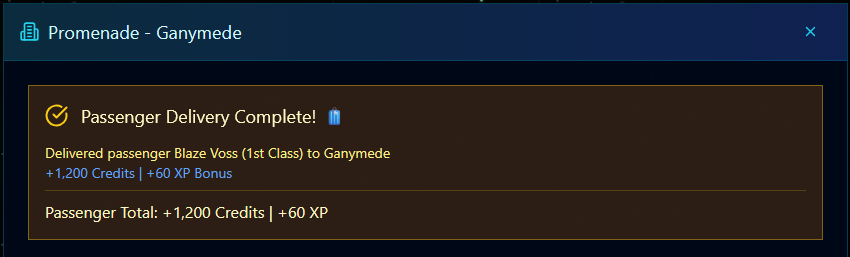
To drop them off, travel to the location and use the ‘Access Location Services’ Green Button that appears in the Info Panel top left. This will open comms with the Promenade services, and the Passenger will disembark, and you will get paid.
As the game progresses, you will get the opportunity to add Upgrades to your ship to increase the number of passengers you can carry. We will also be adding new ship types so that those interested in Passengers over cargo can concentrate on that.